Convert JPG to GIF Online for Free Without Losing Quality
Best Practices for High-Quality Conversion
Introduction
In today’s digital world, image formats play a crucial role in how content is displayed online. JPG is widely used for photos, while GIF is popular for simple graphics and animations. Many users need to convert JPG to GIF for better compatibility, smaller file sizes, or specific web requirements.
In this guide, you will learn how to convert JPG to GIF online for free without losing quality, along with tips, best practices, and common mistakes to avoid.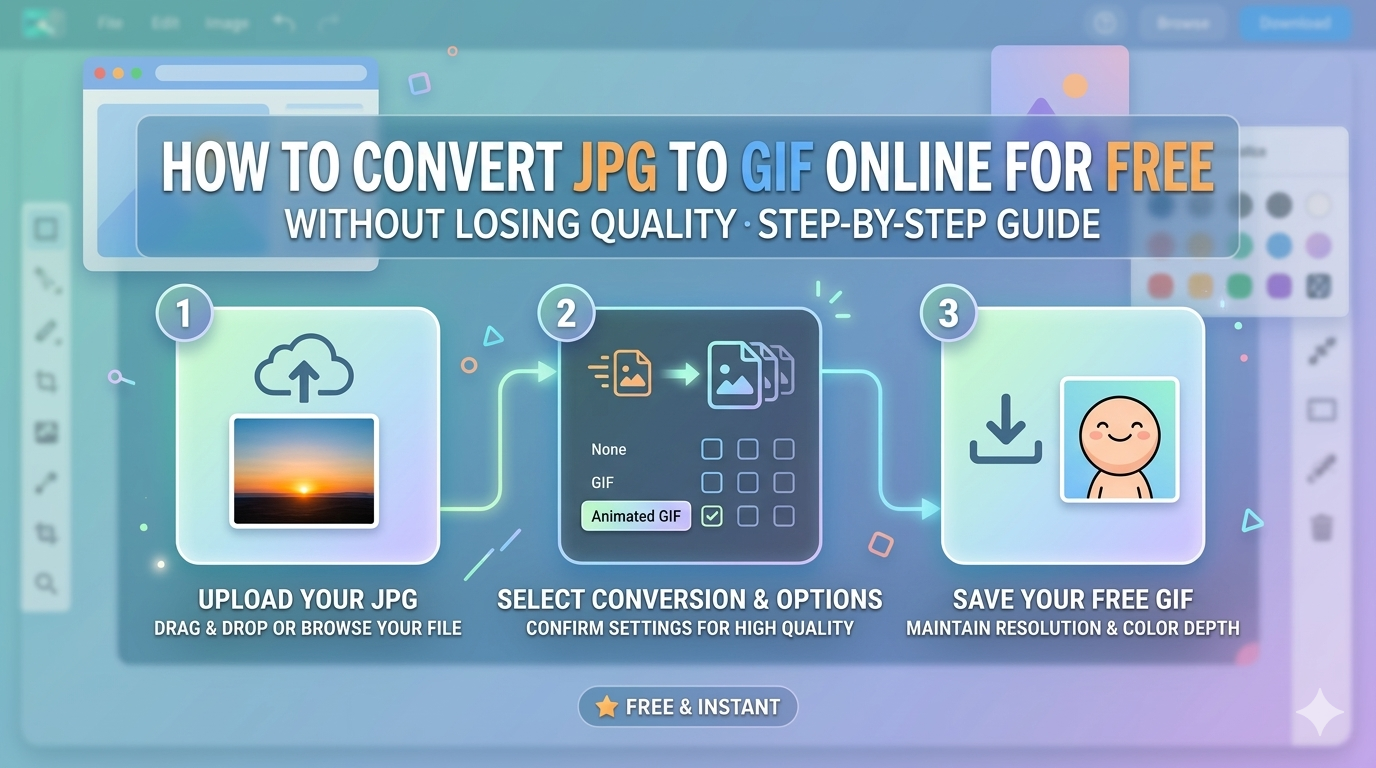
What Is JPG to GIF Conversion?
JPG to GIF conversion is the process of changing an image file from JPG format into GIF format. This helps make images more suitable for web use, especially when smaller size or animation support is required.
Difference Between JPG and GIF Formats
JPG (JPEG)
-
Best for photographs
-
Supports millions of colors
-
Uses lossy compression
-
Larger file size compared to GIF
GIF
-
Supports up to 256 colors
-
Ideal for simple graphics
-
Supports animation
-
Smaller file size
Why Convert JPG to GIF?
1. Smaller File Size
GIF images are often lighter, making them faster to load on websites.
2. Web Compatibility
GIF format is widely supported across all browsers and devices.
3. Simple Graphics
Perfect for logos, icons, and minimal color images.
4. Animation Support
GIF allows multiple frames, enabling basic animations.
How to Convert JPG to GIF Online
Follow these simple steps:
Step 1: Upload Your JPG Image
Select and upload your JPG file from your device.
Step 2: Choose Output Format
Select GIF as the desired output format.
Step 3: Adjust Settings (Optional)
Modify size, resolution, or quality if needed.
Step 4: Convert the Image
Click the convert button and wait for processing.
Step 5: Download Your GIF
Save the converted GIF file in high quality.
Best Practices for High-Quality Conversion
Use High-Resolution Images
Starting with a high-quality JPG ensures better results.
Avoid Over-Compression
Too much compression reduces clarity.
Keep Original Dimensions
Maintain aspect ratio for best output.
Choose Reliable Tools
Use trusted converters to ensure security and quality.
Benefits of Using Online JPG to GIF Converters
-
Free and easy to use
-
No software installation required
-
Fast conversion process
-
Works on mobile and desktop
-
Secure and user-friendly
Common Use Cases
Social Media
Create lightweight images for faster loading.
Website Optimization
Improve page speed with smaller files.
Email Marketing
Use GIFs for better engagement.
Basic Animations
Convert multiple images into simple GIF animations.
Common Mistakes to Avoid
-
Using low-quality JPG files
-
Ignoring color limitations of GIF
-
Over-compressing images
-
Choosing unreliable tools
-
Not checking final output quality
SEO Tips for Image Optimization
-
Use descriptive file names (jpg-to-gif-converter.gif)
-
Add ALT text for images
-
Optimize file size without losing quality
-
Use responsive images for web
-
Test loading speed after upload
Conclusion
Converting JPG to GIF online is a simple and effective way to optimize images for web use. By using the right tools and following best practices, you can ensure high-quality results without losing clarity.
Whether you are working on social media, websites, or marketing content, JPG to GIF conversion can help you create lightweight and compatible images بسهولة.
FAQs
Is JPG to GIF conversion free?
Yes, many online tools offer free conversion.
Does converting JPG to GIF reduce quality?
It may slightly reduce color depth, but quality can be maintained with proper settings.
Can I create animated GIFs from JPG?
Yes, by combining multiple JPG images.
Which format is better: JPG or GIF?
JPG is better for photos, while GIF is better for simple graphics and animations.
Popular Tools
Recent Posts