How to Compress PDF Without Losing Quality – Step-by-Step Guide
Reduce PDF File Size While Keeping Documents Clear and Professional
PDF files are widely used for documents, reports, eBooks, and forms because they maintain consistent formatting across devices. However, large PDF files can be difficult to share via email or upload online. Compressing PDFs without losing quality ensures your documents remain professional while saving storage space and improving shareability.
Why Compress PDF Files?
There are several reasons why compressing PDFs is beneficial:
-
Faster Sharing: Smaller files can be sent via email or messaging apps quickly.
-
Storage Saving: Reduce file size to save space on your computer or cloud storage.
-
Improved Performance: Smaller PDFs open faster on any device.
-
Accessibility: Easier to upload on websites, forums, or learning platforms.
Step-by-Step Guide to Compress PDFs Online
Follow these steps to compress your PDF files without losing quality:
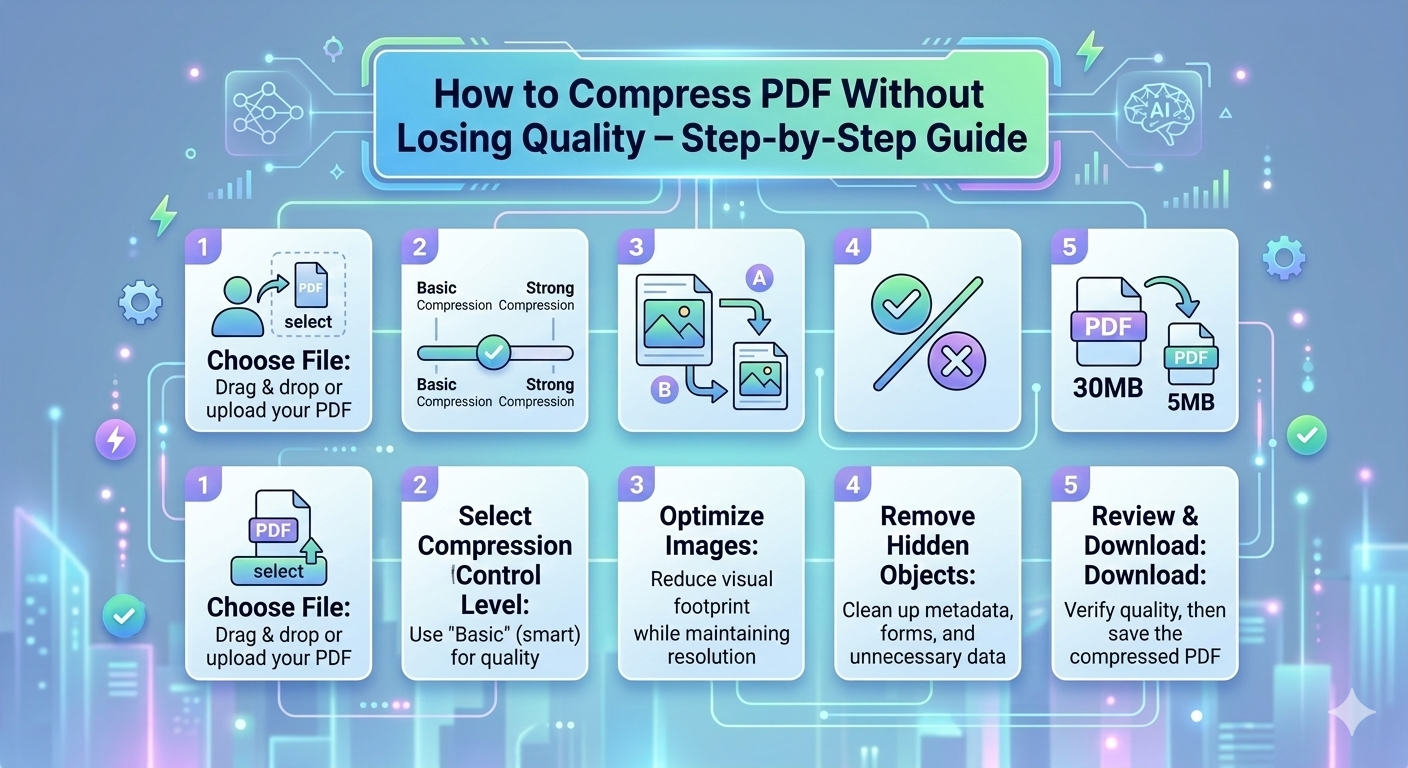
Step 1: Choose a Reliable Online PDF Compression Tool
Visit a trusted online PDF platform such as SabaiTools PDF Compressor. Ensure the website is secure (look for HTTPS).
Step 2: Upload Your PDF File
Click the Upload or Select File button and choose the PDF you want to compress. Most platforms support multiple files for batch compression.
Step 3: Select Compression Settings
Some tools offer options like High Quality, Medium, or Small File Size. To maintain original quality, select High Quality or Lossless Compression.
Step 4: Compress the File
Click the Compress button. The tool will process the PDF and reduce its file size without degrading the content.
Step 5: Download the Compressed PDF
Once the compression is complete, click Download to save the optimized PDF to your computer. You can also save it directly to cloud storage on some platforms.
Tips for Maintaining PDF Quality
-
Avoid compressing multiple times; it may reduce clarity.
-
Use tools that offer lossless compression.
-
Always check the final PDF to ensure images and text are clear.
-
For scanned PDFs, choose a tool optimized for scanned documents.
Benefits of Using Online PDF Compression Tools
-
Time-saving: Compress PDFs within seconds.
-
Accessibility: Works on Windows, Mac, Android, and iOS.
-
Cost-effective: Free to use, no software installation needed.
-
User-friendly: Simple interface suitable for everyone.
Conclusion
Compressing PDF files online is easy, safe, and effective. By following this step-by-step guide, you can reduce file sizes while keeping your documents clear and professional. Platforms like SabaiTools provide free PDF compression along with other tools such as PDF merging, editing, and converting, helping users manage documents efficiently.