How to Convert Images Online
When You Need Image Conversion
How to Convert Images to Different Formats
Images are an essential part of websites, documents, social media, and digital communication. However, different platforms often require images in specific formats. For example, some websites prefer JPG images while others support PNG or WebP.
In this guide, you will learn how to convert images to different formats easily and safely using simple online tools.
What Is Image Format Conversion?
Image format conversion is the process of changing an image file from one format to another without altering the visual content.
For example:
-
JPG to PNG
-
PNG to WebP
-
WebP to JPG
-
GIF to PNG
This helps ensure compatibility with websites, applications, and devices.
Common Image Formats Explained
Understanding image formats helps you choose the right one for your needs.
JPG (JPEG)
JPG is one of the most widely used image formats.
Benefits:
-
Smaller file size
-
Ideal for photographs
-
Easy to share online
However, JPG images may lose some quality due to compression.
PNG
PNG images support transparent backgrounds and high-quality graphics.
Benefits:
-
Lossless compression
-
Perfect for logos and graphics
-
Supports transparency
PNG files are usually larger than JPG files.
WebP
WebP is a modern image format designed for the web.
Benefits:
-
Smaller file size than JPG and PNG
-
High image quality
-
Faster website loading
Many websites use WebP to improve performance.
GIF
GIF images are commonly used for simple animations.
Benefits:
-
Supports animation
-
Small file size for simple graphics
However, GIF images have limited color support.
How to Convert Images to Different Formats Online
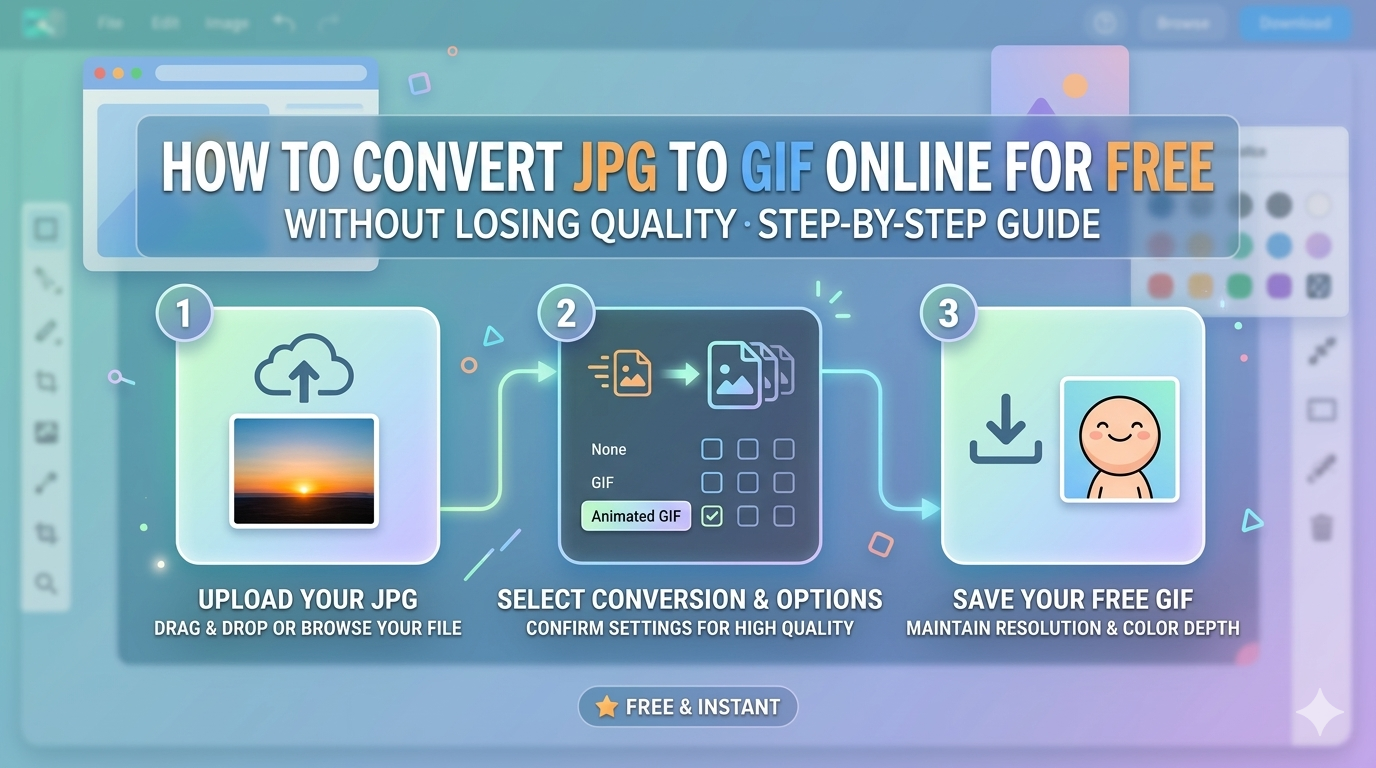
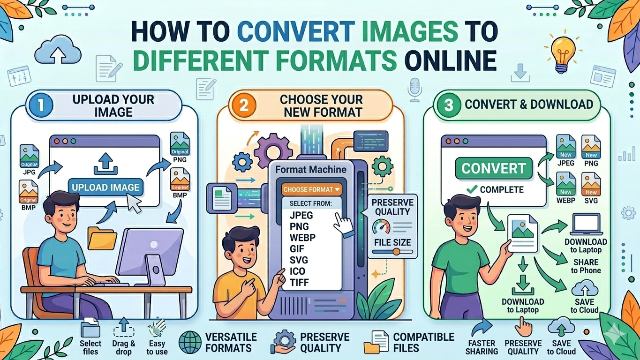
Converting images online is simple and requires only a few steps.
Step 1: Open an Image Converter Tool
Visit a reliable online image converter tool.
Step 2: Upload Your Image
Click the Upload Image button and select the image from your device.
Step 3: Choose the Output Format
Select the format you want to convert your image into, such as:
-
JPG
-
PNG
-
WebP
-
GIF
Step 4: Start the Conversion
Click the Convert Image button to begin processing.
Step 5: Download the Converted Image
Once the conversion is complete, download the new image file.
Why Convert Image Formats?
Image format conversion provides several advantages.
Website Optimization
Different formats help optimize website performance and loading speed.
File Size Reduction
Some formats compress images better and reduce file size.
Compatibility
Certain applications require specific formats.
Better Image Quality
Using the correct format preserves image clarity.
Tips to Maintain Image Quality During Conversion
Follow these best practices when converting images:
-
Use high-resolution source images
-
Avoid repeated conversions
-
Choose lossless formats when necessary
-
Use reliable image conversion tools
-
Select proper compression settings
These steps help maintain the best possible image quality.
Common Problems During Image Conversion
Some users may experience issues during the conversion process.
Image Quality Loss
Converting between lossy formats may reduce quality.
Large File Sizes
PNG files may become larger than expected.
Unsupported Formats
Some tools may not support advanced image formats.
Using a good conversion tool helps avoid these problems.
Best Use Cases for Image Conversion
Image format conversion is useful in many situations:
-
Preparing images for websites
-
Uploading photos to social media
-
Optimizing images for faster loading
-
Converting graphics for presentations
-
Editing images for design projects
It helps ensure images are compatible with different platforms.
Is Online Image Conversion Safe?
Yes, online image converters are generally safe when using trusted platforms. Many tools automatically delete uploaded files after processing to protect user privacy.
However, avoid uploading confidential or sensitive images to unknown websites.
Conclusion
Converting images to different formats is a simple but powerful way to improve compatibility, reduce file size, and maintain image quality. With online image converter tools, you can easily change image formats such as JPG, PNG, WebP, and GIF within seconds.
Whether you are optimizing images for websites, sharing photos, or preparing graphics for projects, image conversion helps ensure your images work perfectly across different platforms.