How to Merge PDF Files Online for Free
Advantages of Online PDF Tools
How to Merge Multiple PDF Files Online
PDF files are one of the most common formats used for sharing documents such as reports, resumes, invoices, and presentations. Sometimes you may have several PDF files that need to be combined into one document. Instead of sending multiple files separately, merging them into a single PDF makes sharing and organizing much easier.
In this guide, you will learn how to merge multiple PDF files online quickly and safely, without installing any software.
Why Merge Multiple PDF Files?
Combining multiple PDFs into one document offers several benefits:
-
Keeps documents organized in one file
-
Makes sharing documents easier
-
Saves time when sending files via email
-
Reduces document clutter
-
Improves professional presentation
For example, job seekers often merge resume, cover letter, and certificates into one PDF before submitting an application.
When Do You Need to Merge PDFs?
Merging PDF files is useful in many situations, such as:
-
Combining scanned documents
-
Creating a single project report
-
Joining invoices or receipts
-
Submitting multiple assignments as one file
-
Organizing contracts and agreements
Having everything in one PDF makes it easier to manage and read.
How to Merge Multiple PDF Files Online
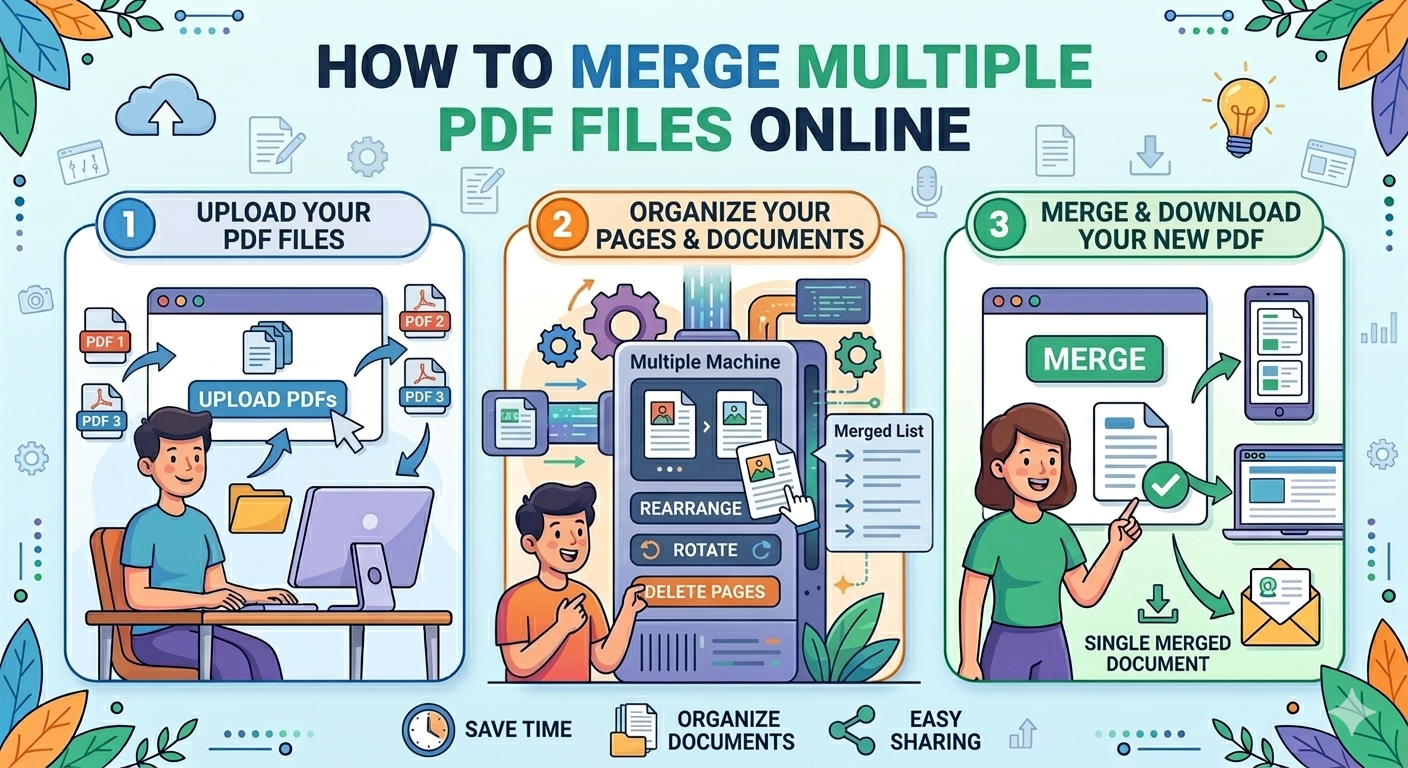
Using an online PDF merger is the easiest method. Follow these simple steps:
Step 1: Open a PDF Merge Tool
Visit a reliable PDF merge tool on your browser.
Step 2: Upload Your PDF Files
Click the Upload Files or Select PDF button and choose the PDFs you want to merge.
Step 3: Arrange the File Order
Drag and reorder the files to match the correct sequence.
Step 4: Click “Merge PDF”
Press the merge or combine button to start the process.
Step 5: Download the Final PDF
After the tool finishes processing, download the merged PDF file.
Your documents are now combined into one single file.
Advantages of Online PDF Merge Tools
Online PDF merging tools provide several advantages:
No Software Installation
You can merge PDFs directly from your browser.
Works on Any Device
Online tools work on Windows, Mac, tablets, and smartphones.
Fast Processing
Most tools combine documents within seconds.
Easy to Use
Even beginners can merge PDFs without technical knowledge.
Tips for Merging PDF Files Efficiently
To get the best results, follow these tips:
-
Check file order before merging
-
Ensure files are clear and readable
-
Remove duplicate pages if necessary
-
Use trusted and secure PDF tools
-
Rename the final merged file for easy identification
These small steps help maintain document quality and organization.
Is It Safe to Merge PDF Files Online?
Most reputable PDF tools protect your documents with secure file processing. Many platforms also automatically delete uploaded files after a short time to maintain privacy.
However, avoid uploading sensitive documents to unknown websites.
Common Issues When Merging PDFs
Sometimes users face minor issues while merging PDFs.
File Size Too Large
Large PDFs may take longer to upload and process.
Incorrect Page Order
Always check the file order before merging.
Unsupported Files
Ensure that all files are in PDF format before uploading.
Best Practices for Managing Merged PDFs
After merging your PDFs, consider these best practices:
-
Compress the final PDF if the file size is large
-
Add bookmarks for easier navigation
-
Use clear file names
-
Store important documents in cloud storage
These steps help keep documents organized and accessible.
Conclusion
Merging multiple PDF files online is a quick and convenient way to organize documents into a single file. With simple online tools, you can upload, arrange, and combine PDFs within seconds without installing any software.
Whether you need to submit documents, share reports, or organize files, merging PDFs makes document management easier and more efficient.