How to Merge PDF Files Online for Free – Step-by-Step Guide
Easily Combine Multiple PDF Files into a Single Document
Merging PDF files is a common task for students, professionals, and anyone working with documents. Whether you want to combine reports, contracts, or presentations, online PDF merging tools make it quick and easy. In this guide, we’ll show you how to merge PDF files online for free in simple steps.
Why Merge PDF Files Online?
There are many reasons why merging PDF files online is convenient:
-
No software installation required – Work directly in your browser.
-
Fast and accessible – Combine files anytime, anywhere.
-
Free to use – Many online tools are completely free.
-
Safe and secure – Most reliable platforms delete your files after processing.
Step-by-Step Guide to Merge PDFs Online
Follow these simple steps to merge your PDF files online:
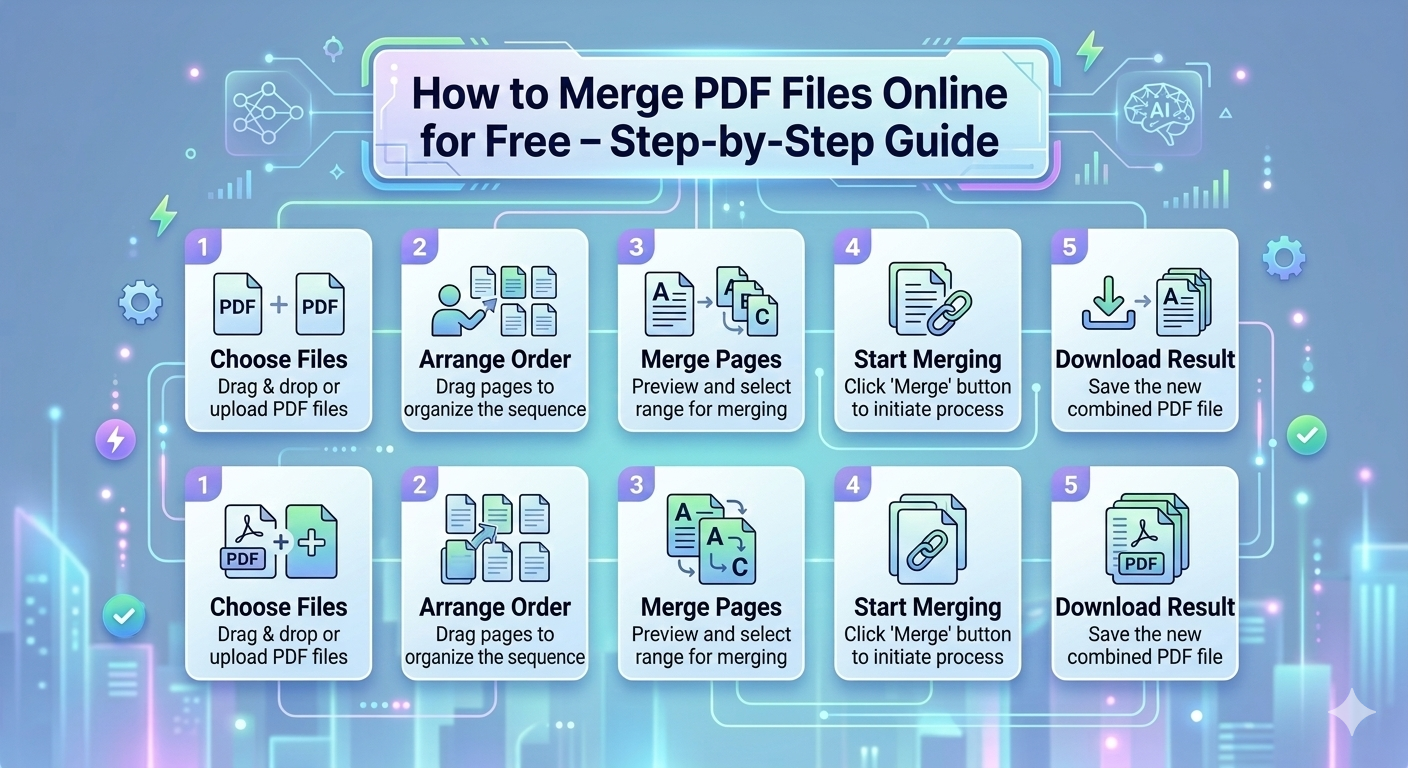
Step 1: Choose a Reliable Online PDF Merge Tool
Visit a trusted PDF tool platform such as SabaiTools or other online PDF utilities. Make sure the site is secure (look for HTTPS).
Step 2: Upload Your PDF Files
Click the Upload or Select Files button and choose the PDFs you want to merge. Most platforms allow multiple files to be uploaded at once.
Step 3: Arrange the PDFs in Order
Once uploaded, arrange the files in the order you want them to appear in the final document. You can drag and drop files to change their position.
Step 4: Merge the Files
Click the Merge PDF or Combine button. The tool will process your files and combine them into a single PDF document.
Step 5: Download the Merged PDF
After merging is complete, click Download to save the new file to your computer. Some platforms also allow you to share or save the file to cloud storage.
Tips for a Smooth PDF Merging Experience
-
Make sure your files are not corrupted or password-protected.
-
Use platforms that automatically delete your files after processing for privacy.
-
Compress the merged PDF if the final file is too large to share easily.
Benefits of Using Online PDF Merge Tools
-
Time-saving: Merges multiple PDFs within seconds.
-
Accessibility: Works on Windows, Mac, Android, and iOS.
-
Cost-effective: No need to buy expensive software.
-
User-friendly: No technical skills required.
Conclusion
Merging PDF files online is quick, easy, and free. By following the step-by-step guide above, anyone can combine multiple documents into a single PDF without installing software. Using reliable online tools ensures your documents remain safe and your workflow efficient.
Platforms like SabaiTools provide all these features in one place, offering not just PDF merging, but also other essential PDF tools for editing, compressing, and converting files.